

Well, the wait
is finally over, the Supernote Manta (A5X2) is finally here, as well as a surprise new LAMY collaboration. There has been
much excitement, anticipation, frustration, and what some might call drama
surrounding this device. However, it appears now that Ratta, the manufacturer
of Supernote, has delivered on their promise to release what some see as a
groundbreaking device in the e-note space. After all, this is only the second
device to be modular in design (the other being the Supernote Nomad).
While this is more of an announcement post, I plan to be releasing a fair bit of content on the device, putting it through its paces. For now, I am happy to share my unboxing and first impressions:
Speaking of price, the Manta is competitively situated in the market. Below are a few examples of cost depending on the configuration:
Example 1
Supernote
Manta: $459.00
Half Folio: $ 59.00
Standard Pen: $ 59.00
Total Price: $577.00
Half Folio: $ 59.00
Standard Pen: $ 59.00
Total Price: $577.00
Example 2
Supernote
Manta: $459.00
Half Folio: $ 59.00
Heart of Metal Pen: $ 75.00 (not Samauri)
Total Price: $593.00
Half Folio: $ 59.00
Heart of Metal Pen: $ 75.00 (not Samauri)
Total Price: $593.00
Example 3
Supernote
Manta: $459.00
Half Folio: $ 59.00
LAMY Safari Twin: $ 89.00 (LAMY Vista or HOM Samauri)
Total Price: $607.00
Half Folio: $ 59.00
LAMY Safari Twin: $ 89.00 (LAMY Vista or HOM Samauri)
Total Price: $607.00
If you already have a Supernote device or a preferred Wacom® stylus, the cost goes down significantly. Again, a lot of this is preference. There are a lot of great styli out there, and it all depends on what is the most efficient and effective way for you to write.
For those who
have been patiently (or impatiently) waiting, here are the specifications,
shared with me by Ratta:
Design
- Sleek: Overall 6.0 mm. Thinnest edges 3.6 mm.
- Light: Overall weight reduction with Half Folio. Device + Half Folio = 467 g.
- Clear: 10.7 inch, 300 PPI.
- Durable: Drop resistant with Flexible Screen. Scratch resistant with FeelWrite 2 Self-recovery Soft Film.
- Sustainable: Modular Design. Upgradable Motherboard. Replaceable Battery. Expandable Storage.
- Practical: Dual Sidebars. Attachable Pen Loop. Stable Foot Pads. Top Charging Port.
Features
Write Naturally:
- FeelWrite 2 Self-recovery Soft Film.
- Ceramic Never Replace Nib.
- Minimal nib-to-ink distance, Manta further reduces the nib-to-ink distance by 0.12 mm.
- Front light-free.
Organize Magically:
- Structure via headings.
- Index via keywords.
- Connect via links.
Offline Friendly:
- Transfer files via thumb drive or local Wi-Fi.
- Offline real-time handwriting recognition.
Efficient Gestures:
- Dual sidebars.
- Two-finger gesture eraser.
- Undo & redo shortcut.
Sketch Professionally:
- Atelier application.
Stationery Beauty:
- Heart of Metal 2 with luxury fountain pen flair.
- Push-Up Pen with retractable mechanism.
Seamless Workflow:
- Sync.
- Email.
- Word.
- Calendar.
- To-Do.
- All optimized and integrated.
Technical Specifications
Dimension
- L: 251.3 mm (9.9 inch)
- W: 182.6 mm (7.2 inch)
- D: 6.0 mm (0.24 inch), thinnest edges 3.6 mm (0.14 inch)
Weight
- Approximately 375 g (0.83 lb) with pen loop
Display
- 10.7 inch (10.65 rounded up), flexible E Ink screen
- 1920 × 2560 resolution (300 PPI)
- Frontlight free
- Palm rejection
Screen Protector
- FeelWrite 2 Self-recovery Soft Film for natural writing
Storage
- 32 GB (The system takes up some space)
- Expandable storage with microSD card (up to 2 TB, recommended format exFAT, NTFS and FAT32)
Battery
- 3600 mAh
- Replaceable battery
Processor
- RK3566 Quad-Core 1.8 GHz
- Upgradable motherboard
Memory
- 4 GB RAM
Connectivity
- USB-C 2.0 (support charger/earphone/OTG)
- Wi-Fi 2.4 GHz & 5 GHz
- Bluetooth 5.0 (support keyboard)
OS
- Pre-installed: Chauvet - A specialized designed Android 11-based system for those who write
File Formats
- Note (.note), PDF, EPUB, Word, Text (.txt), PNG, JPG, WebP, CBZ, FB2 and XPS, and integrate with Kindle app which supports MOBI and other formats
Language
- UI: English, Japanese, Chinese (Simplified & Traditional)
- Handwriting Recognition: 60+
Partner Apps
- Desktop: macOS, Windows
- Mobile: iOS, Android
Finally, Ratta did provide some images of the device (also
available on their website). I have put them below if you are interested in
seeing them.


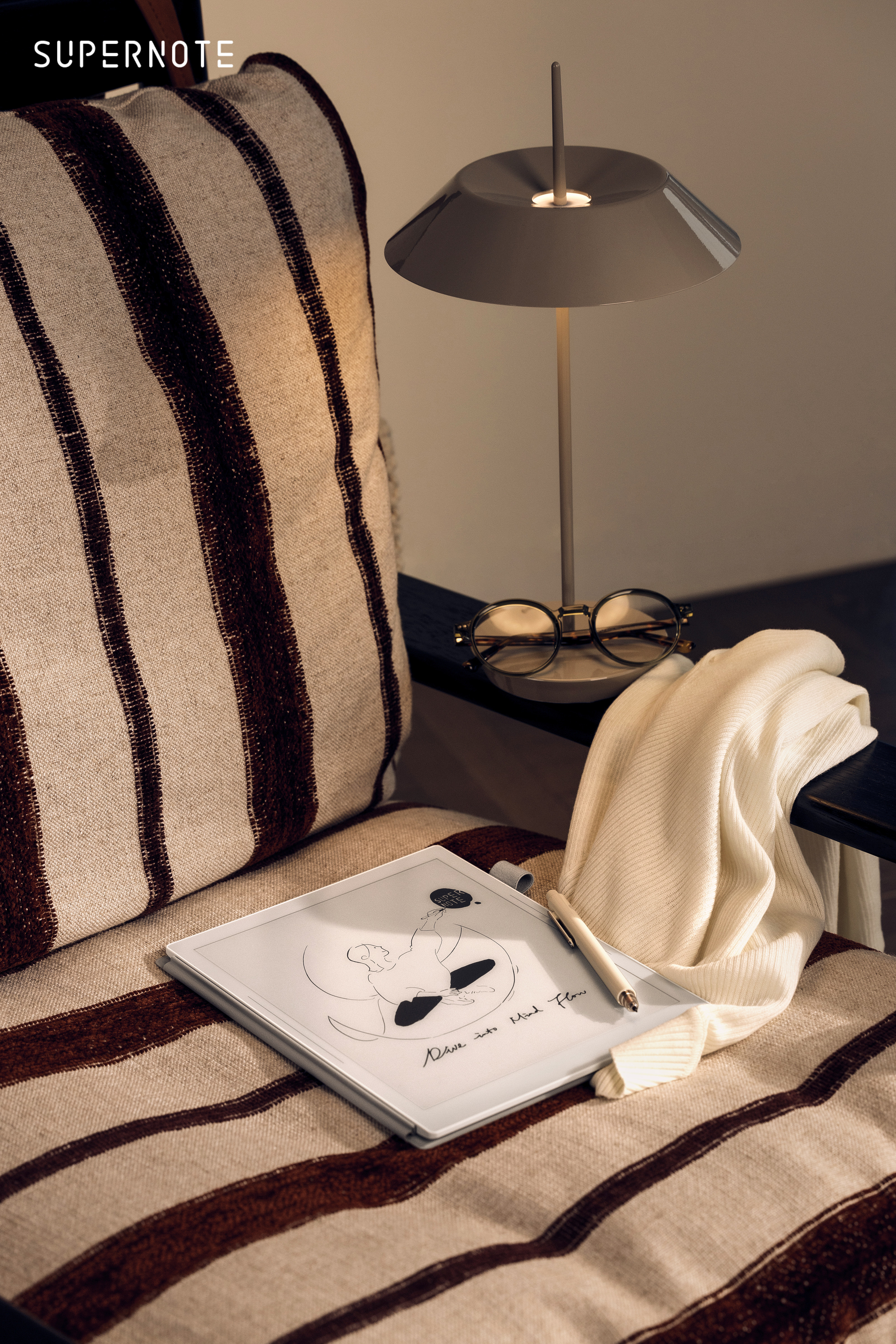


If you made it this far, congratulations. Please feel free to use my links above or visit the Supernote Store using my Affiliate Link. Until next time, stay safe and keep moving forward.
Thanks for the review! Really looking forward to using the Manta!
ReplyDeleteNo problem, I'm loving it so far after two days working with it.
ReplyDelete